
Directly in Salesforce, or in PathFactory with Revenue Intelligence.
Two fast ways to share content, depending on where you are in the deal.
Want a video walkthrough? Scroll to the bottom.
Quick Guide
| If you want to… | Choose… |
|---|---|
| Share something helpful quickly | Share Marketing Content |
| Create a living, personalized page for a real deal | Build a Landing Page |
Getting Started
On an Account, Opportunity, or Contact record, click the Share Content button to get started.

Option 1: Share Marketing Content
Quick link sharing for early engagement
- Share Content → Share Marketing Content
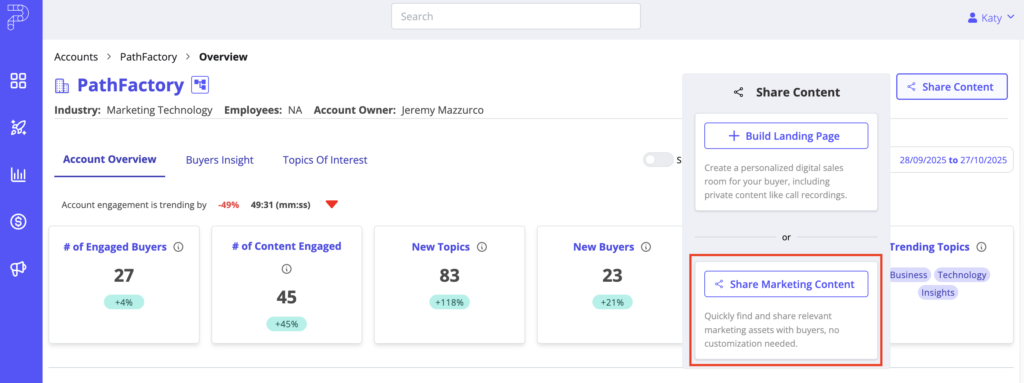
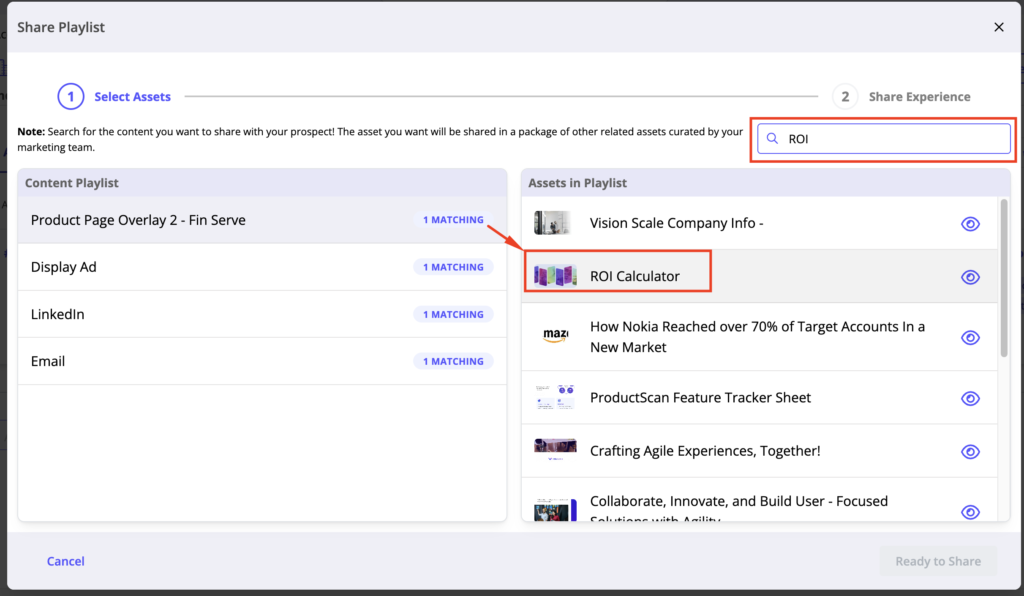
- Search for the asset you want, select the asset in the playlist you want:
- Copy Link and share!
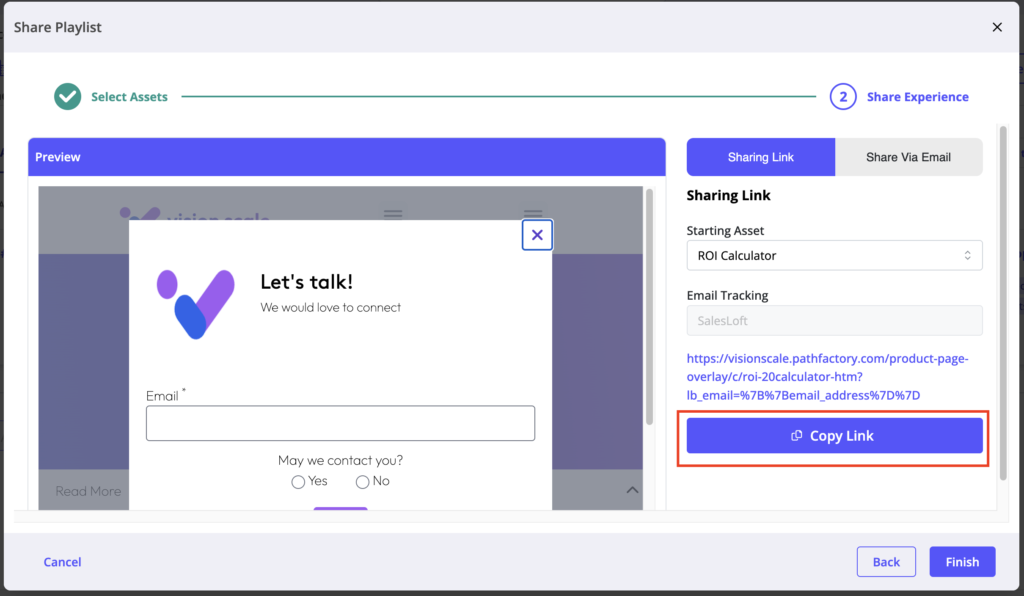
Send it in your email, chat, or wherever you’re talking to your prospect.
Why use it: fastest way to share something valuable without any setup.
Option 2: Build a Landing Page
A personalized page you update as the deal grows
- Share Content → Build a Landing Page
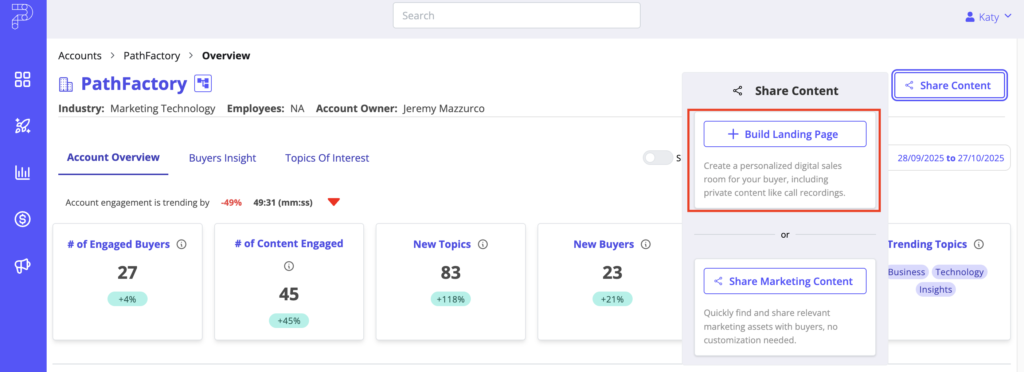
- Pick a template
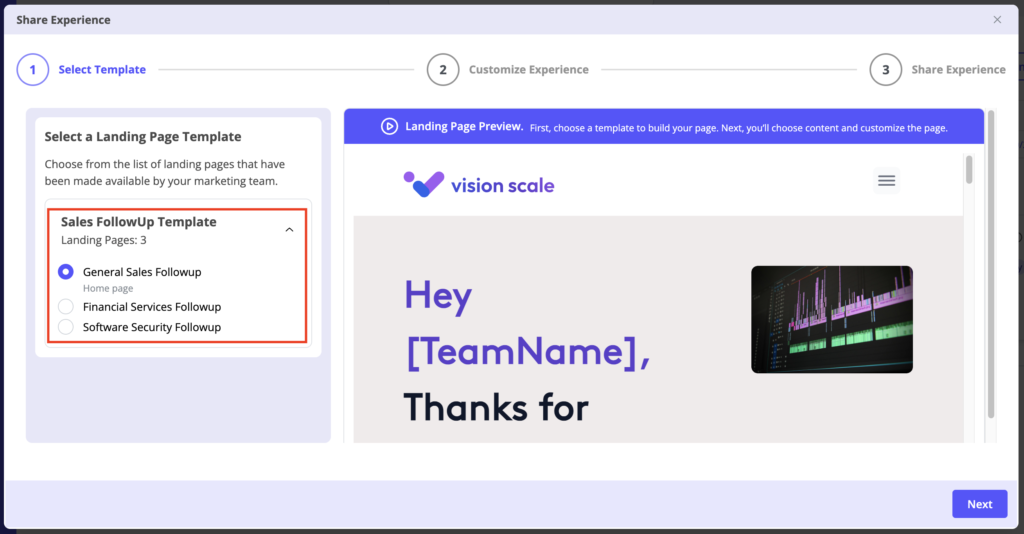
- Add content (from marketing or your private uploads)
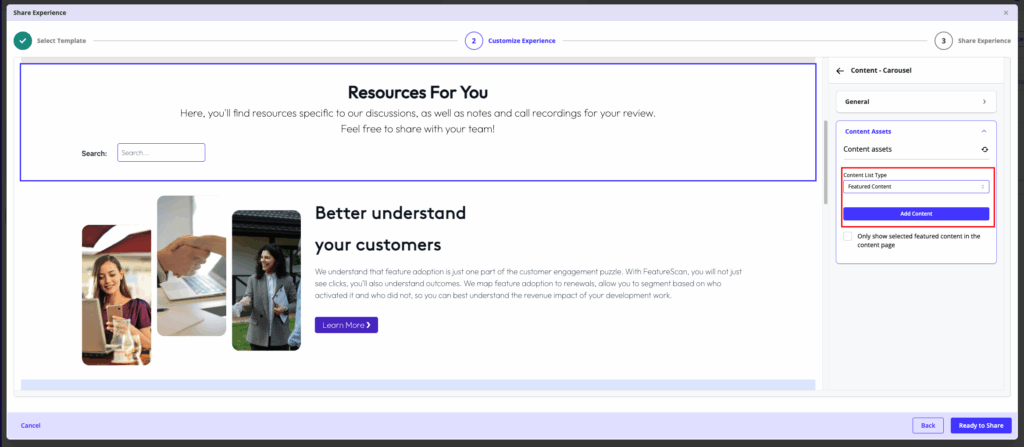
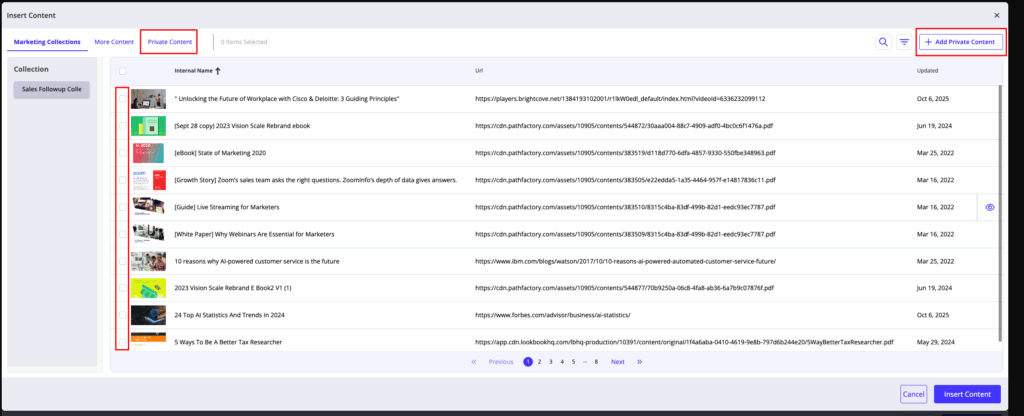
- Upload decks, call recordings, anything requiring privacy to your own Private Content Library, or select content that has been made available by Marketing:
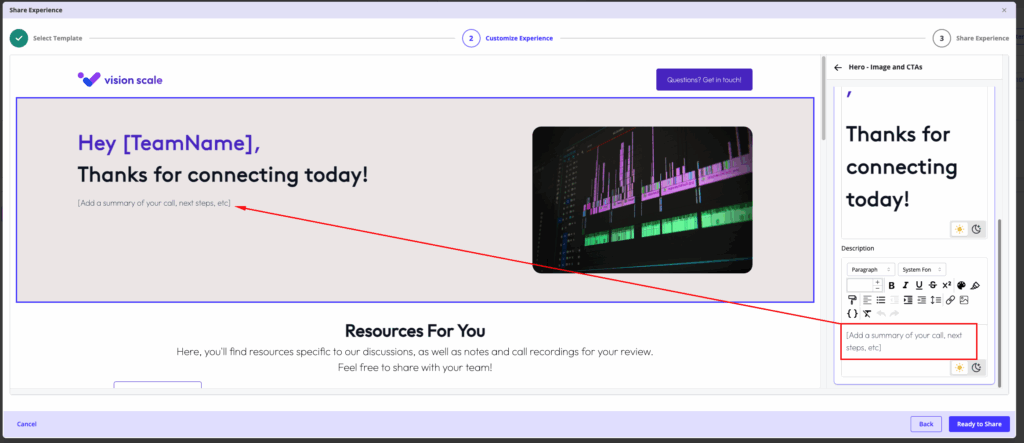
- Personalize key messaging and contact info
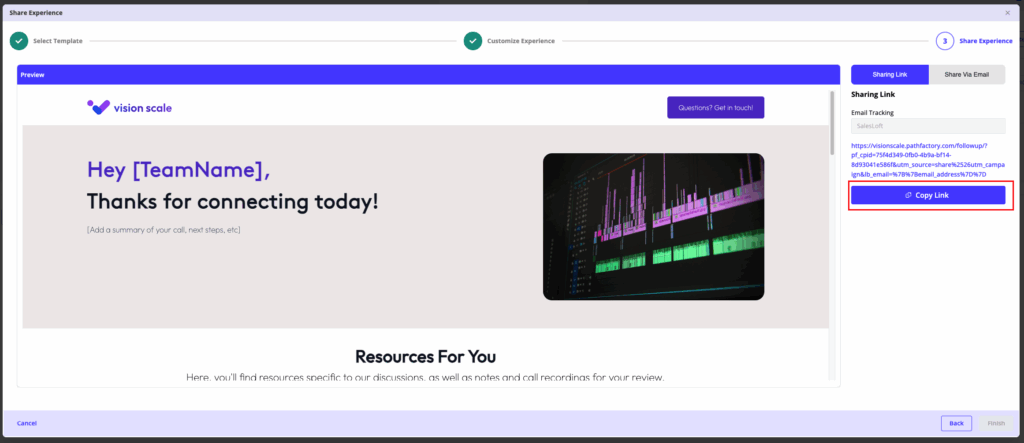
- Preview and Copy Link
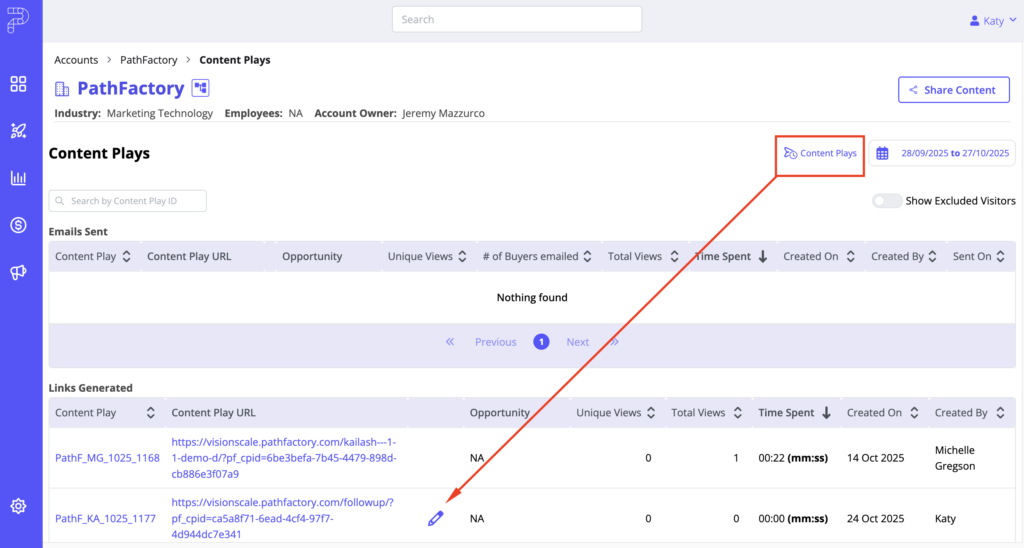
Find and update your page anytime under Content Plays. The original link always shows the latest version.
Why use it: perfect for active opportunities with multiple stakeholders.
Both workflows are designed to keep your momentum high with minimal steps.
Video Walkthrough:
Views: 181