
Availability: November 5, 2026
Video and RSS feeds bring content from external publishing sources into the PathFactory Content Library. Each imported item becomes a reusable asset that your team can organize, add to collections or Smart Rules, and deliver through PathFactory Experiences.
Before you add a feed
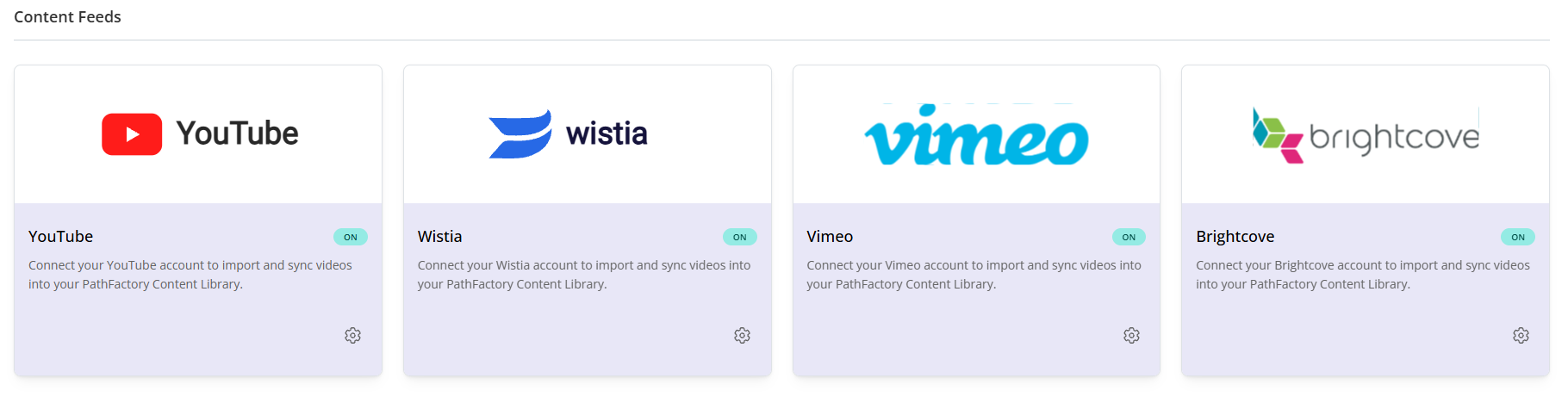
Some video providers need a one-time organization-level credential setup before their feed option appears in Add Assets. Configure these providers in Organization Settings > Content Feeds:
- YouTube
- Wistia
- Vimeo
- Brightcove
After the provider is configured, its feed option becomes available in the Content Library’s Add Assets flow. The credential setup is completed once for your organization; you do not need to repeat it for each feed.
Vidyard and RSS are available directly in Add Assets. Vidyard supports multiple saved connections, which you can manage from the Vidyard source card. For RSS, select Add RSS Feed and provide the feed URL. RSS setup does not require an organization-level credential configuration.
Supported video sources
| Provider | Available source selections |
|---|---|
| YouTube | Channels and playlists |
| Vimeo | Accounts, folders, and showcases |
| Brightcove | Accounts and playlists |
| Vidyard | Saved connections and folders |
| Wistia | Accounts, projects, and channels |
| Kaltura | Accounts and media collections |
Available selections depend on the provider and the connections configured for your organization.
Connect a feed
- In the Content Library, select Add Assets.
- Choose a configured video provider or select Add RSS Feed.
- For a video source, choose the channel, playlist, account, folder, showcase, project, or media collection you want to import. For RSS, enter the feed URL.
- Complete the setup and run the initial synchronization. PathFactory imports eligible items as Content Library assets.
- Review the imported assets and apply PathFactory tags, collections, or Smart Rules to organize them for use in Experiences.
Depending on the provider, a video feed can import the title, description, thumbnail, duration, dates, language, status, and privacy information when supplied. RSS items can include the title, description, source URL, publication date, author, categories, topics, feed-provided tags, and an image or thumbnail when available.
Manage synchronization
| Control | What it does |
|---|---|
| Initial synchronization | Imports eligible items and creates their Content Library assets. |
| Automatic video synchronization | Checks each video feed daily for new videos and confirmed source changes. |
| Sync now | Runs an on-demand check so newly available content can be imported before the next scheduled sync. |
| Auto Update Metadata on | Refreshes supported source-managed metadata on existing assets during synchronization. |
| Auto Update Metadata off | Continues importing new items while leaving existing asset metadata unchanged. |
| Pause and resume | Stops or restarts synchronization while preserving the connection settings. |
RSS feeds are checked on an ongoing schedule and can also be synchronized on demand. The daily video-feed schedule is separate from Native Blog publishing, which refreshes every 15 minutes.
RSS items use the source URL to help identify each item and prevent duplicates. Video items are also deduplicated so repeated synchronization does not create unnecessary copies.
What happens to my PathFactory content and tags?
Feeds update supported source-managed metadata. Your PathFactory-managed fields and static PathFactory tags remain available for internal organization. Feed connections import and synchronize assets; your team controls which collections, Smart Rules, and Experiences use them.
For video feeds, the original provider continues to host and stream the video. PathFactory creates a reusable asset that points to the video and carries the available source information.
Reliable feed behavior
Connections include duplicate prevention, retries, and safeguards for temporary source failures. A feed being briefly unavailable or an item not being confirmed during one check does not silently hard-delete its Content Library asset. Cleanup is based on confirmed source changes.
Frequently asked questions
Can I use an imported item in multiple PathFactory Experiences?
Yes. Once imported, the item is a reusable Content Library asset. Organize it with collections or Smart Rules, then use it in the Experiences that fit your audience and program.
Why don’t I see a video provider in Add Assets?
YouTube, Wistia, Vimeo, and Brightcove must first be configured in Organization Settings > Content Feeds. Once configured, the provider becomes available in Add Assets.
Will every feed provide the same metadata?
No. The fields available depend on what the source provides. PathFactory imports supported information when it is available and does not assign values that the source does not provide.
Does connecting a feed decide where its items appear?
No. The feed connection imports content and synchronizes supported source metadata. Your team decides how to tag, curate, and deliver those assets in PathFactory.
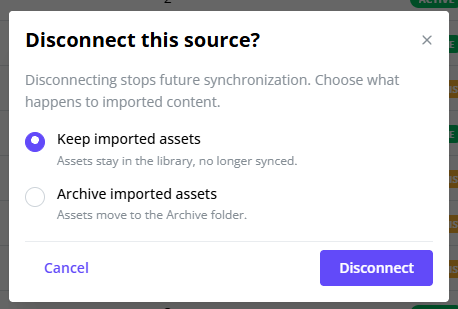
What happens if I delete a feed?
The new content feeds tab gives you an interface for reviewing and managing established feeds. Selecting the “delete feed” option will present options on how the system should proceed after disconnecting the feed from the library.
Views: 2